

Chapters
Browse all chapters
Getting started
Editing
Site & domains
Billing & account
AI
FAQ
Help › Billing & account › AI credits
AI credits
AI features inside Webmarlin spend AI credits from your account. Your balance is always in the top bar; click it to open Account settings → AI Credits.
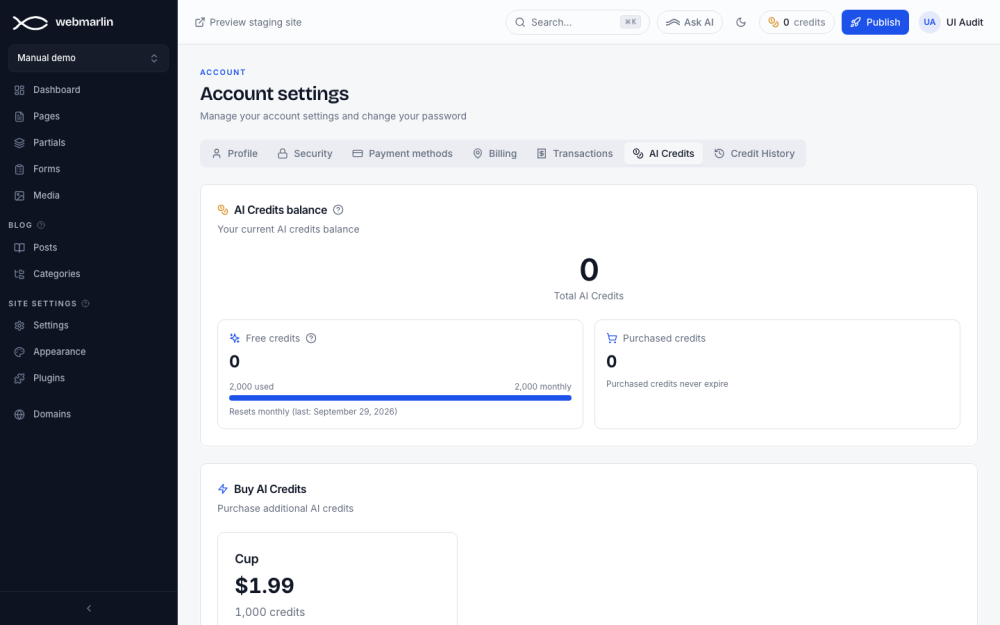
Your balance
| Pool | How it works |
|---|---|
| Free credits | A monthly allowance from your plans. It resets each month and does not roll over. The bar shows how much is used; the line under it gives the last reset date. |
| Purchased credits | Credits you bought. They never expire. |
| Total AI Credits | Both pools together |
What spends credits
- Compose with AI and Edit with AI in the editor
- Autofill with AI in Settings → SEO and in a page's SEO settings
- Refresh with AI in Settings → Structured data
When the balance is too low, the action stops with You don't have enough AI credits for that. Top up to continue. A collaborator with the AI tools permission spends the owner's credits.
Buy credits
- In AI Credits, under Buy AI Credits, press Purchase on a pack.
- Choose a saved card or enter a new one.
- Press Confirm purchase. The balance updates a moment later.
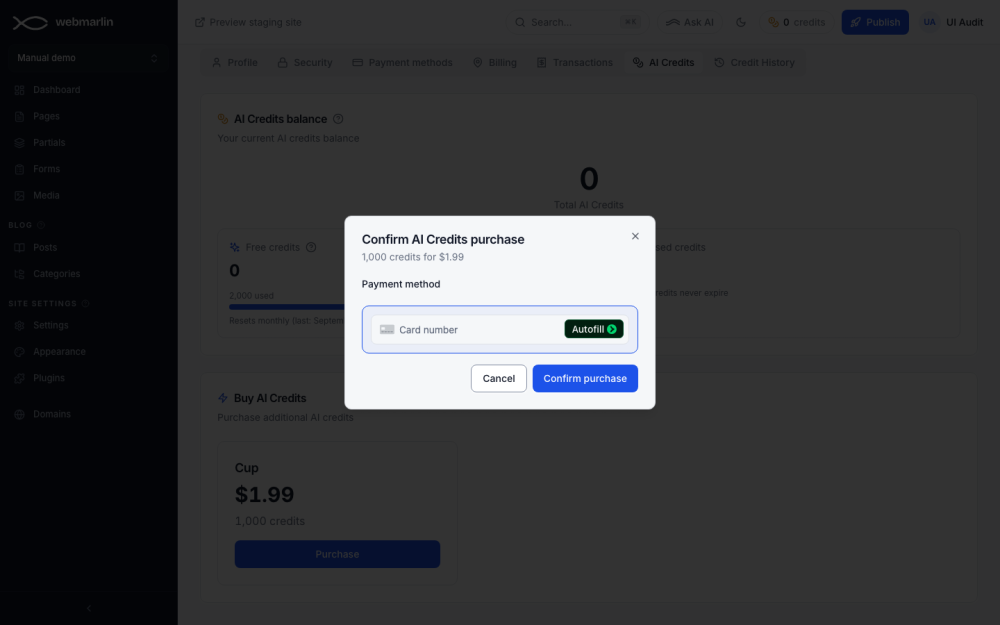
Packs and prices in the screenshots are test values; the page always shows the current ones.
Credit history
Account settings → Credit History lists every change to the balance: the date, the type (Monthly allocation, Monthly reset, Purchase or Usage), a description and which pool it came from (Free or Purchased).