

Chapters
Browse all chapters
Getting started
- Getting started
- Finding your way around
- Real-world walkthroughs
Editing
Site & domains
Billing & account
AI
FAQ
Help › Getting started › Finding your way around
Finding your way around
The sidebar holds everything about the website you are working on; the top bar holds search, AI, credits, Publish and your account.
All websites
All websites lists every site you own or were invited to. Open it from the website switcher at the top of the sidebar, or from the palette.
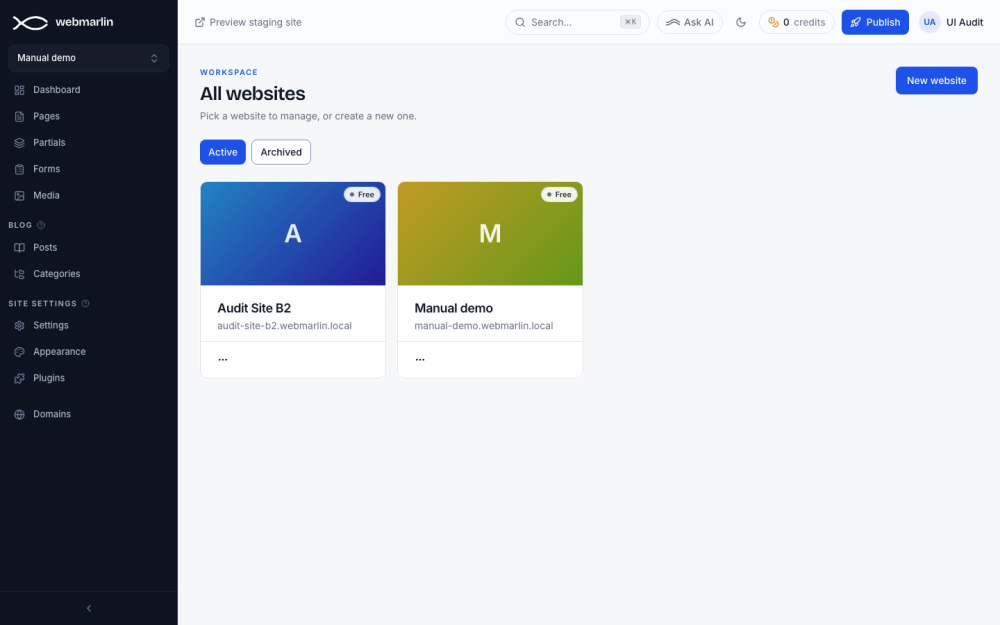
- Click a card to open that site's dashboard.
- New website starts the setup wizard (see Getting started).
- The card's ⋯ menu holds Archive….
- Archived shows archived sites, each with Restore.
Switch website
The box at the top of the sidebar shows the current site. Click it to choose another site, open All websites, or Create website.
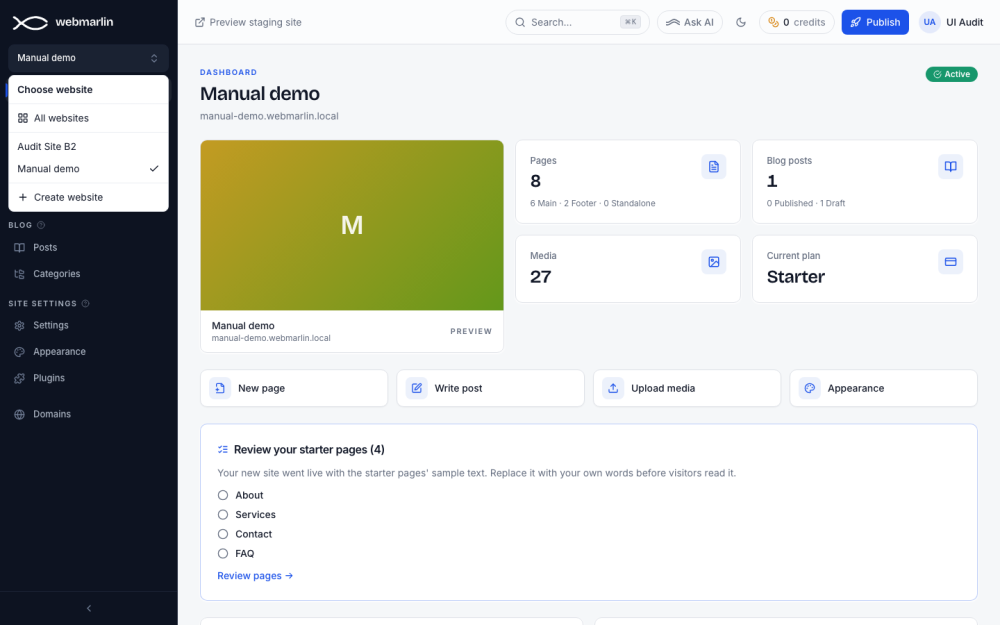
The sidebar
| Group | Items |
|---|---|
| (top) | Dashboard, Pages, Partials, Forms, Media |
| Blog | Posts, Categories |
| Shop (only when the shop is on) | Products, Categories, Orders, Shop settings |
| Site settings | Settings, Appearance, Plugins |
| (bottom) | Domains: the domains on your account, for every site |
A collaborator sees only the items their permissions allow. The arrow at the bottom collapses the sidebar to icons; on a phone it opens from the menu button.
The top bar
| Item | What it does |
|---|---|
| Preview staging site | Opens the saved (not yet published) version of the site in a new tab |
| Search (⌘K or Ctrl+K) | Opens the command palette |
| Ask AI | Opens webmarlin.ai on this site (see AI features) |
| Moon or sun | Switches the console between light and dark |
| Envelope (only with pending invitations) | Invitations to other people's sites: Accept or Decline |
| Credits | Your AI credit balance; opens Account settings → AI Credits |
| Publish | Publishes the whole site |
| Your initials | Account settings, Security settings, webmarlin.ai, Log out |
Command palette
Press ⌘K (Ctrl+K on Windows) or click Search. Type to find a page or a blog post by name, or jump anywhere.
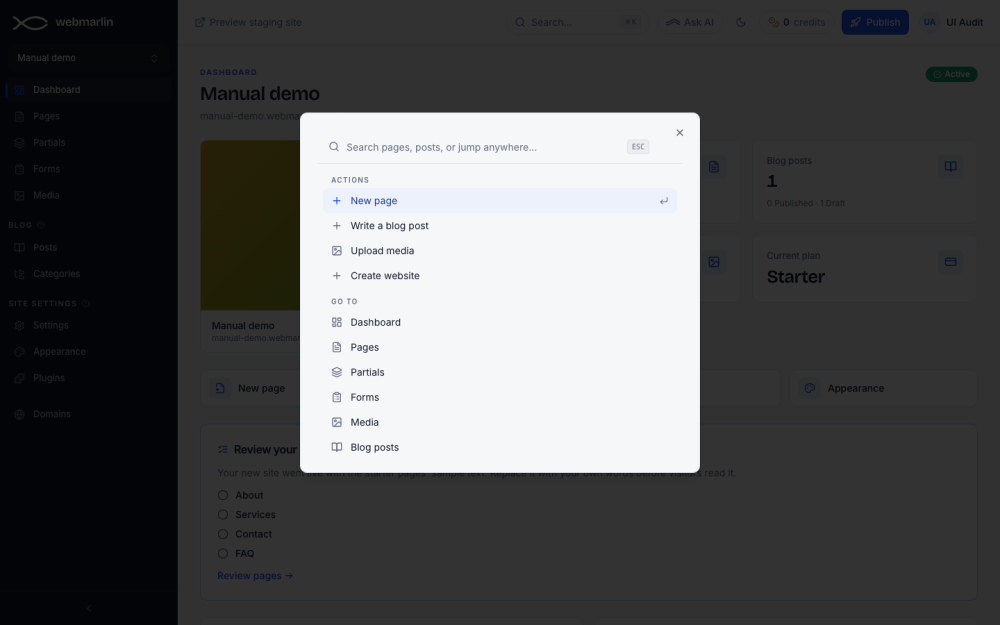
- Actions: New page, Write a blog post, Upload media, Create website.
- Go to: every sidebar item, Domains, Account settings and All websites.
- Switch website: your other sites.
Use the arrow keys and Enter, or click. Esc closes it.
Dashboard: site health and usage
Lower on the dashboard, Site health scores four checks. Each open check has a link that fixes it.
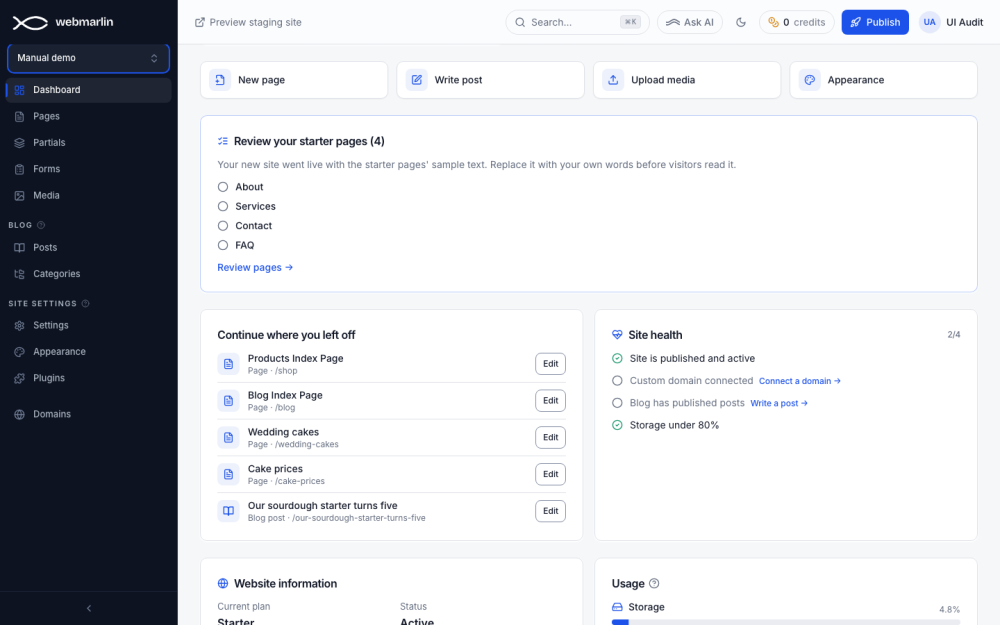
| Check | Link when not done |
|---|---|
| Site is published and active | Go to pages |
| Custom domain connected | Connect a domain |
| Blog has published posts | Write a post |
| Storage under 80% | Manage media |
Continue where you left off lists the pages and posts you edited last, each with Edit. Usage shows storage and this month's visits against the plan.